Problem
People struggle to turn saved places into plans, keeping them stuck in familiar routines instead of exploring their city.
Decision Fatigue
Too many options make planning overwhelming.
Time Constraints
Limited free time leaves little room for research or preparation.
City Scale Challenge
Spread-out neighborhoods make planning efficiently difficult.
Development
Ideation and user needs
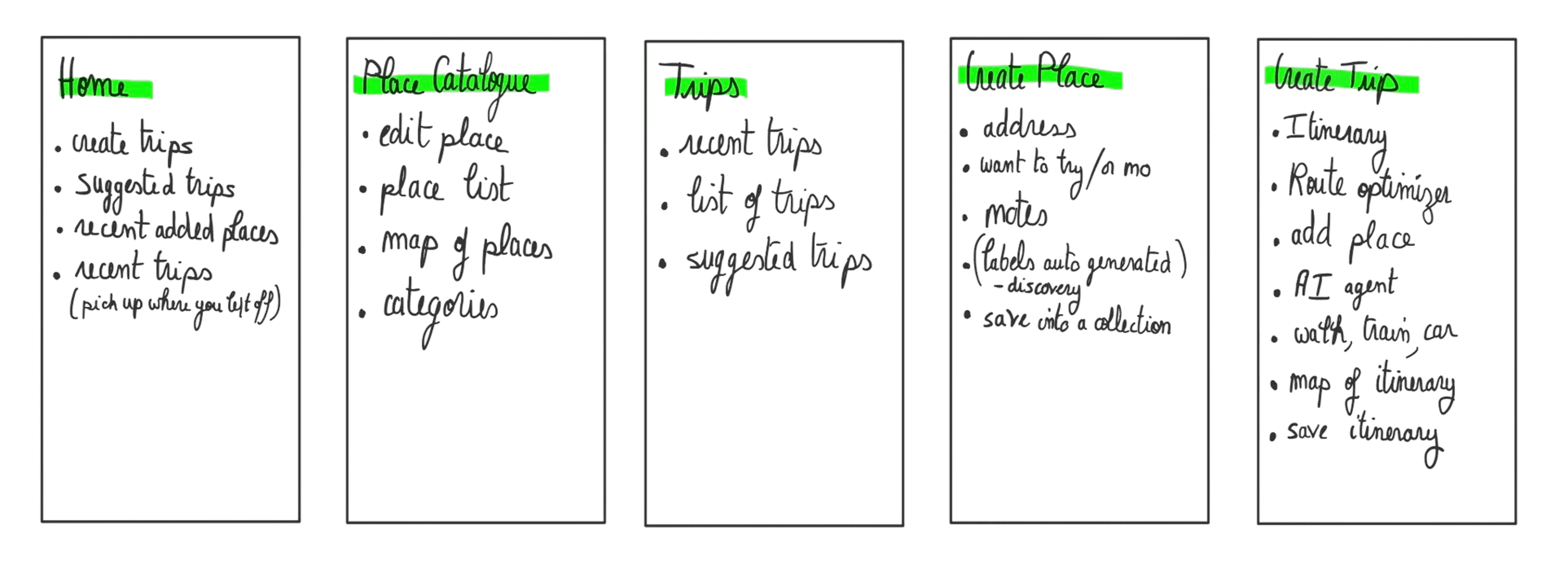
Mapped user needs and explored two design directions: AI-driven and manual.
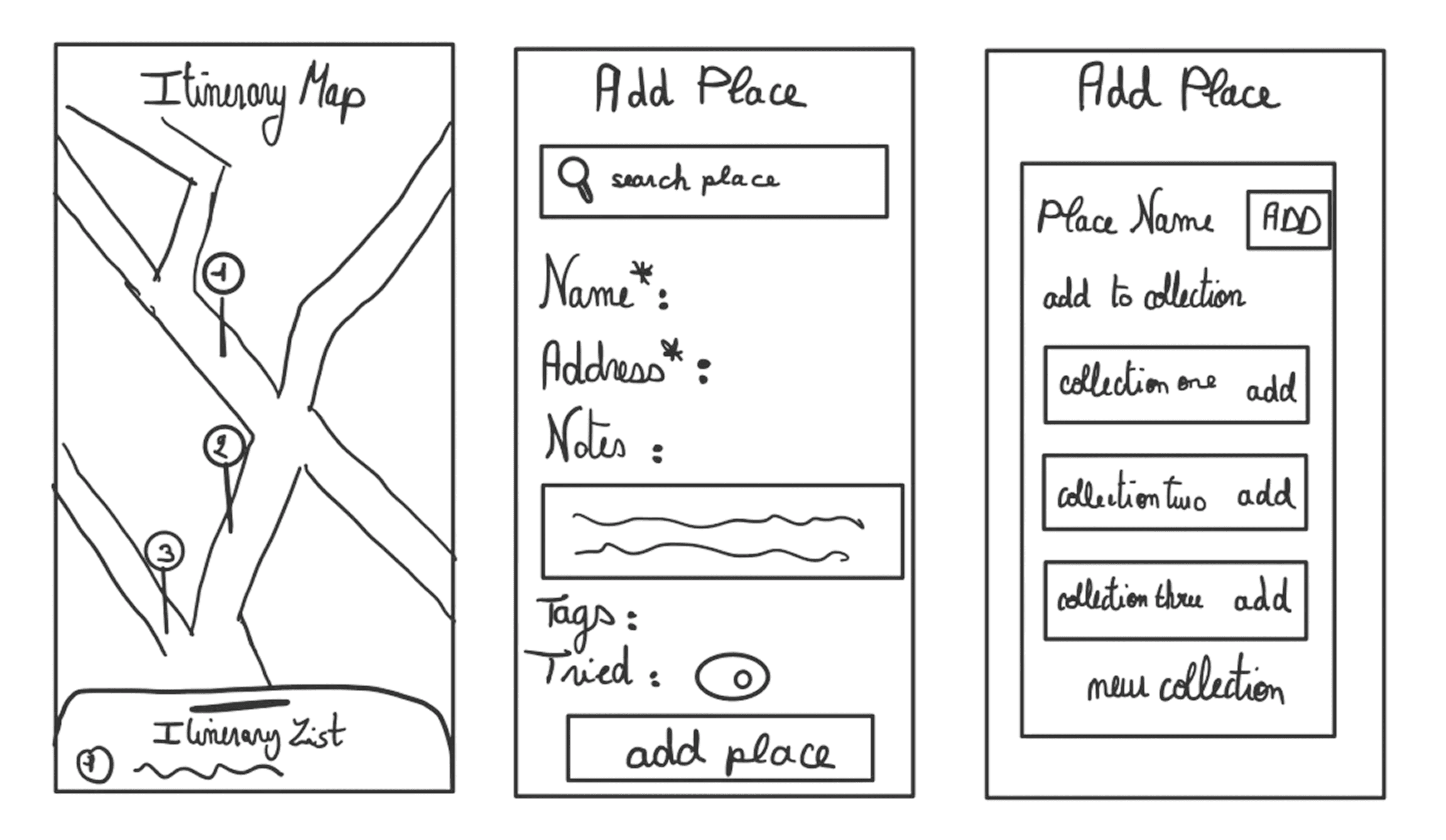
Defined user needs for each main app component and translated them into low-fidelity sketches to compare how an AI-led versus manual experience would shape user flow and decision-making.
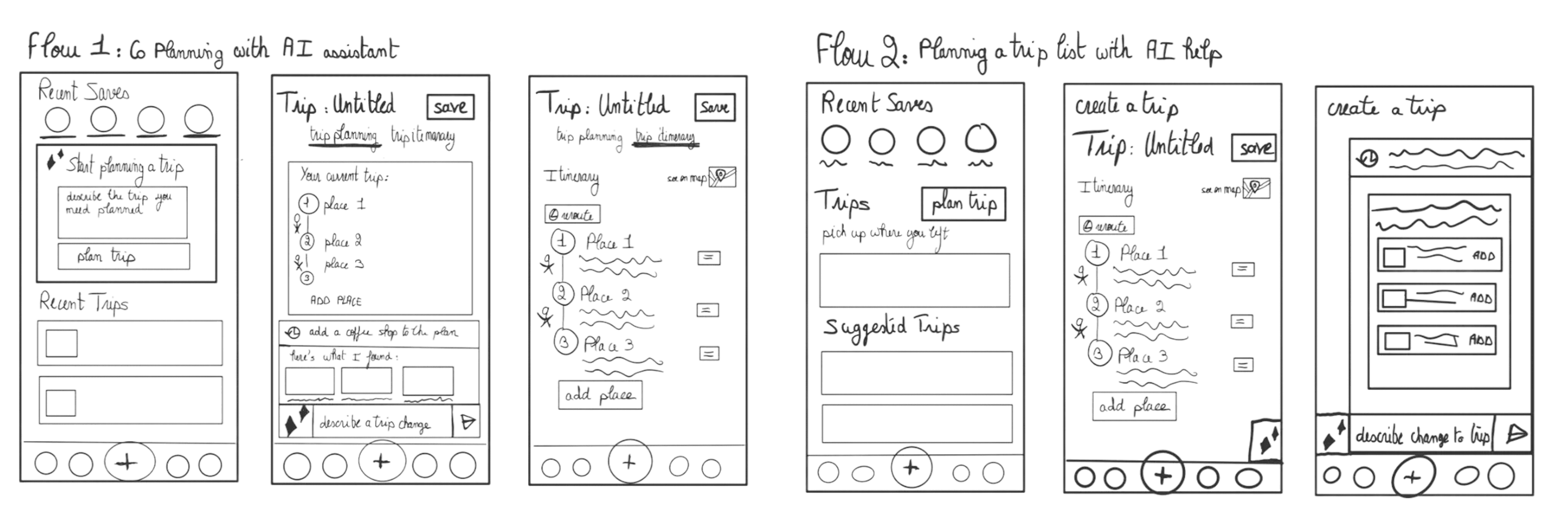
Working through an AI-forward flow that still allows user control
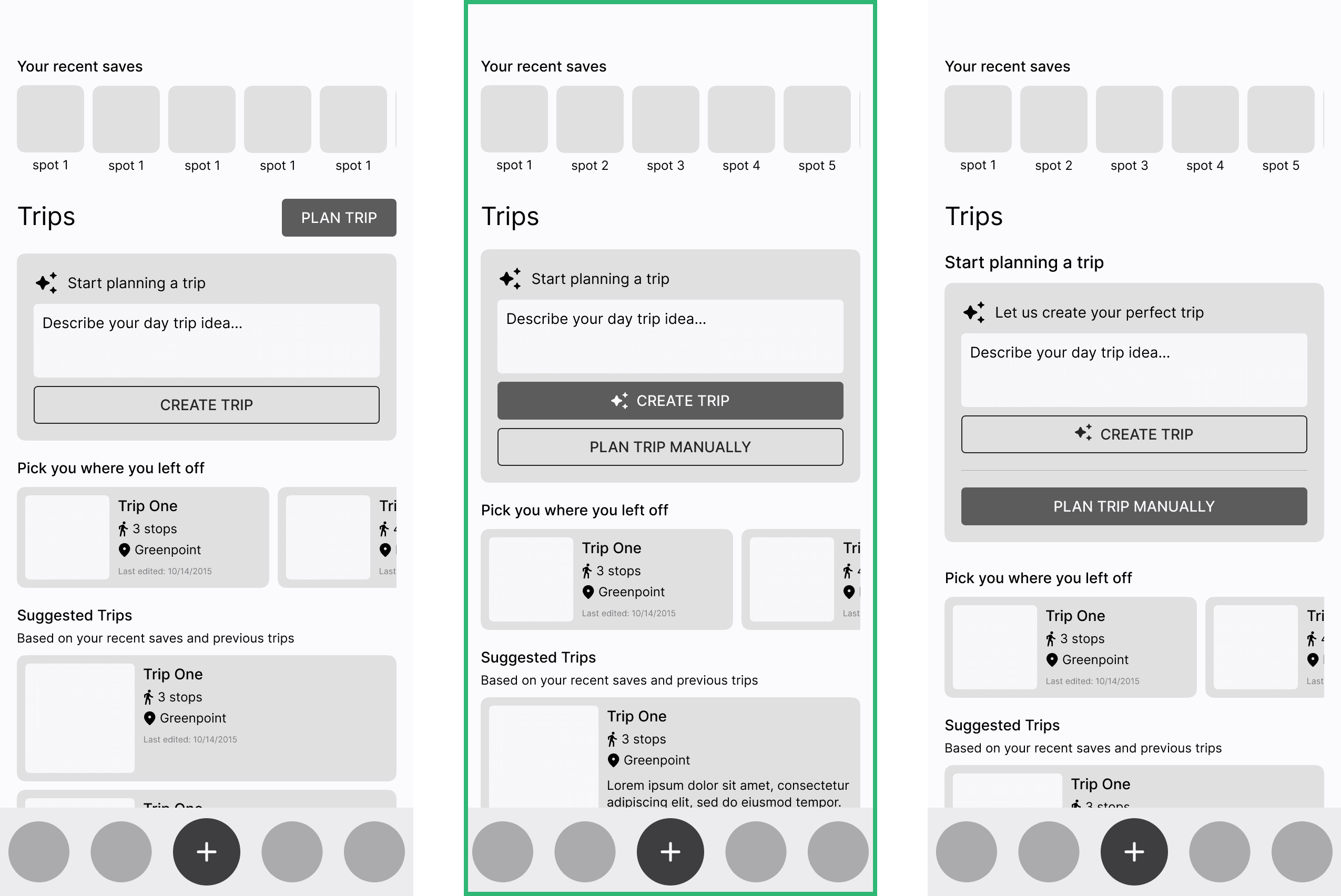
Testing showed users wanted the flexibility to start trips manually or through AI.
The first layout caused confusion since both buttons conveyed similar actions.
The second best captured user expectation: an AI-forward app with the option to plan manually.
The third conflicted with this direction.
Decided to move forward with the second.
Designs
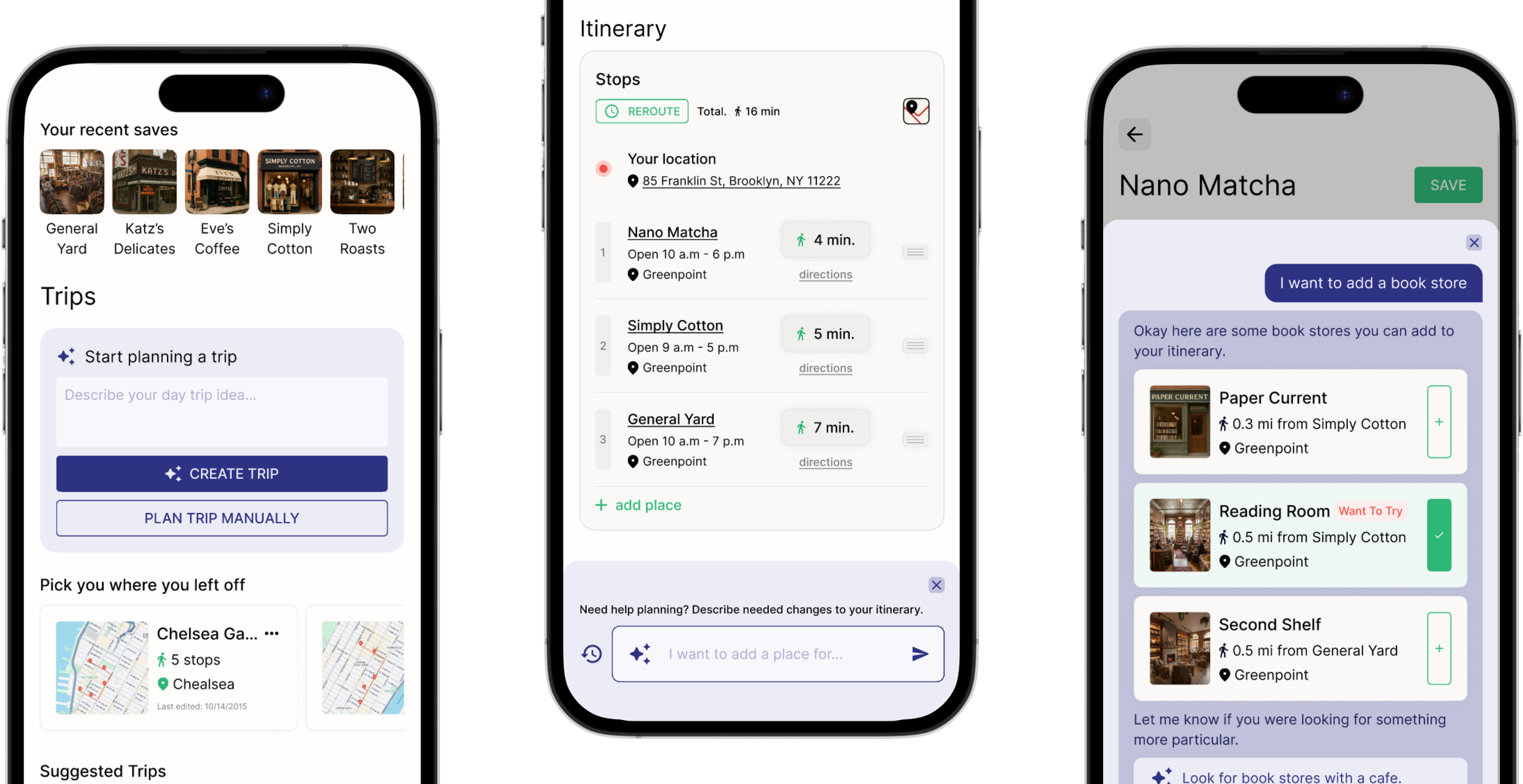
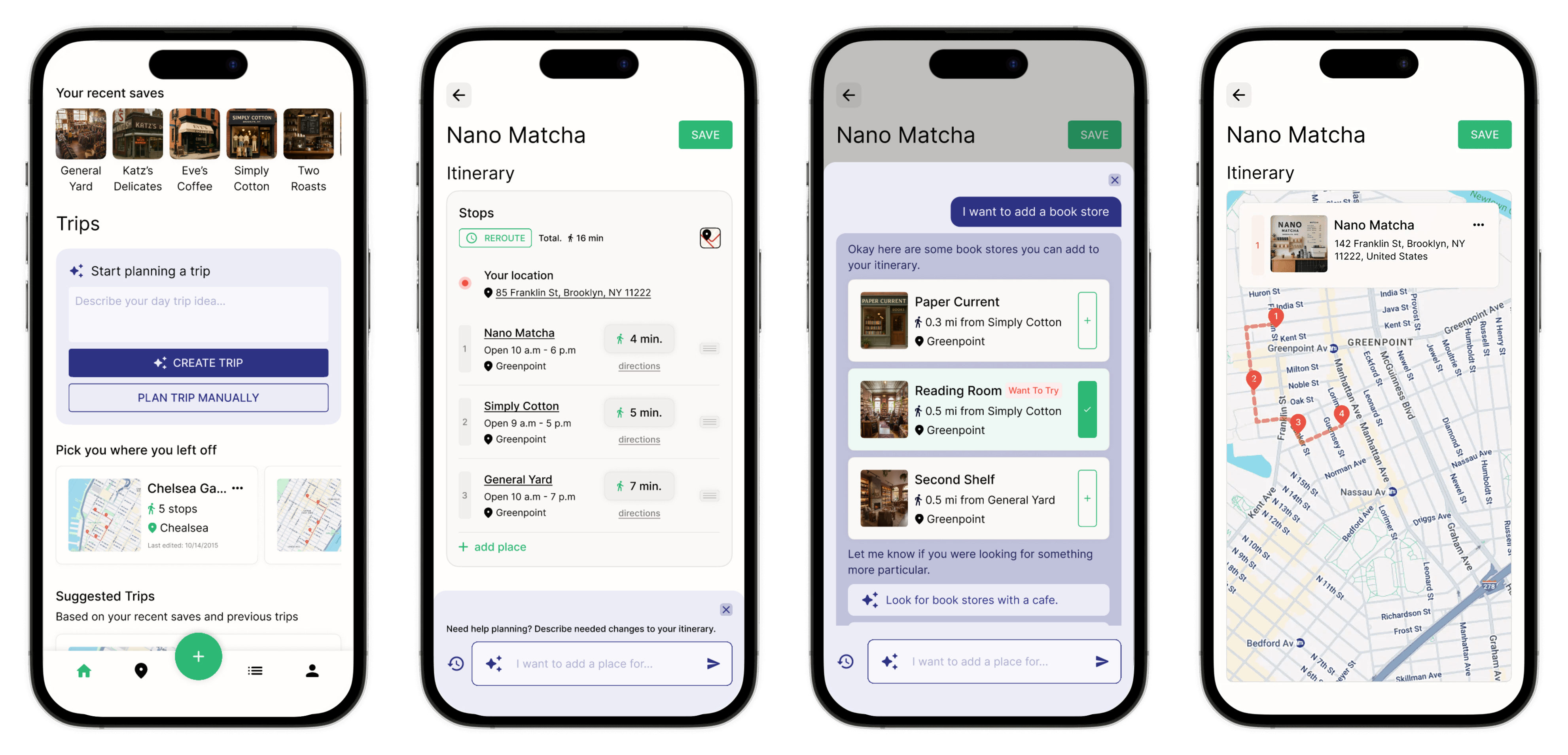
Effortless discovery for smarter day planning
- The experience narrows choices by surfacing relevant suggestions/recent saves so users don’t feel overwhelmed when starting a plan.
- By analyzing saved spots and previous trips, the AI assistant quickly creates a complete day plan with minimal input.
- Distance-based suggestions and optimized routes help users move easily through spread-out neighborhoods.
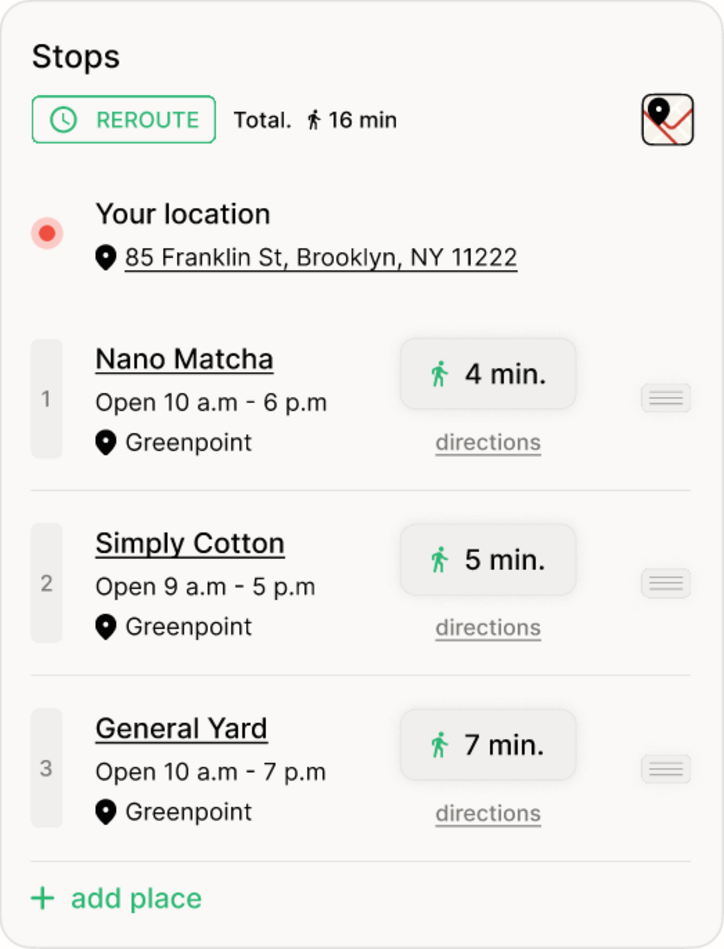
One Clear Itinerary, Simple to Change
Auto-routing, travel times, and neighborhood context remove the back-and-forth of figuring out where to go and how far everything is, making the area easier to navigate. Opening hours and quick directions reduce the time spent looking things up, keeping the planning flow simple and clear.

Organize spots and dive into trips with ease
Users can add places, keep everything organized, and switch between different viewing modes effortlessly. The trips tab offers a dedicated space to open existing plans or start fresh ones.

Technical Considerations
Constraint-preserving replanning
Convert requests into fixed commitments, time windows and preferences. Use bounded search to compare candidate itineraries, preserving user edits and requesting a constraint change when no feasible plan is found.
Routing and transit integration
Retrieve travel times and connections from routing and transit services. Cache reusable results and parallelize independent lookups; flag missing or outdated data instead of generating unsupported estimates.
Itinerary feasibility validation
Validate opening hours, visit windows and travel connections before ranking plans by interests and pace. Return the first feasible itinerary, then refine it within fixed time and tool-call limits.